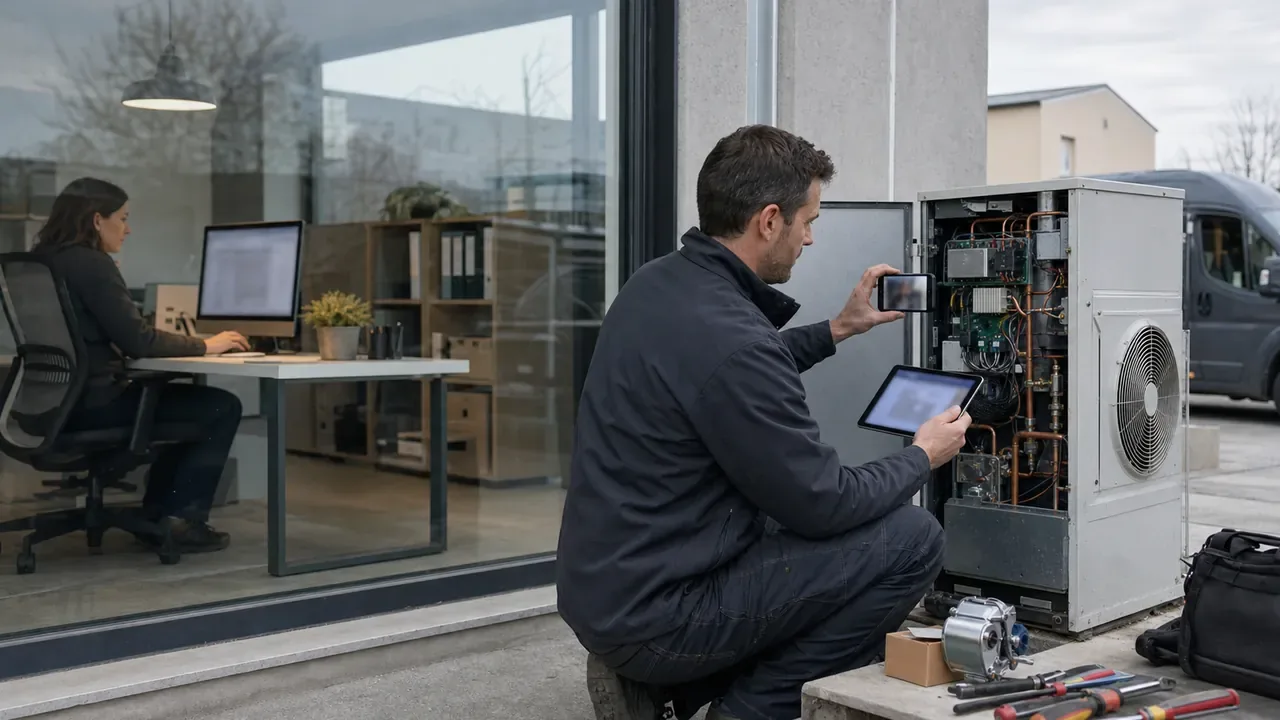
When a customer asks what happened with a fault, it is not enough to know that ‘it has been resolved’. They want to know when the report was received, who reviewed it, which technician attended, what they found, which parts they used and why a second visit was necessary. The company, meanwhile, needs to retrieve that information without reconstructing it from emails, calls, spreadsheets and photographs stored on different mobiles.
That is technical service traceability: a chronological, verifiable account connecting the initial incident to every subsequent action through to closure. It is not about accumulating data just in case, but recording the facts needed to understand the work, coordinate the next step and justify the decisions made.
What complete traceability means
A work order is traceable when any authorised person can clearly answer four questions: what happened, who was involved, when they did it and what the outcome was. To achieve this, information must retain its context. An isolated photo has little value if nobody knows which equipment it relates to; a comment becomes less useful if it is not linked to the job; and material usage does not help calculate costs if it is not associated with the corresponding visit.
Complete traceability brings together several layers of the service:
- the original request and the details provided by the customer;
- assignments, dates, statuses and planning changes;
- conversations and operational decisions;
- time spent, materials and related purchases;
- photographs, videos, documents and signatures;
- closure, any reopening and the subsequent maintenance history.
The aim is not to monitor the team, but to create a shared source of information. The coordination team sees what is happening in the field, the technician receives the context they need and the administration team has a consistent basis for preparing the job sheet or reviewing a cost.
Traceability starts when the incident is received
The first record shapes everything that follows. A call saying ‘the air conditioning isn't working’ can lead to an unproductive visit if the exact location, affected equipment, symptoms, contact person and degree of urgency are not recorded. It is also worth retaining the channel and content of the request: email, WhatsApp, form or a call summarised by the person who handled it.
At this point, a job should be created with a unique identifier. This identifier becomes the thread connecting messages, visits, materials and job sheets. If the customer sends photographs or documentation, they should be added to the same case file rather than left in a personal inbox.
Structured intake does not require endless forms. It is enough to define some minimum fields for each service type and allow them to be expanded later. If you are reviewing how to move from scattered records to a shared workflow, this guide to moving from Excel to a unified platform may help.
Assignments, statuses and replanning
Once the incident has been recorded, work order tracking depends on every change remaining visible. The initial assignment shows who takes responsibility; the specific visit indicates who will attend, when and according to what schedule. If the technician changes, the appointment is moved or an urgent job forces the day to be reordered, the history should retain both the new plan and the time of the change.
Statuses help summarise the situation: pending, planned, in progress, awaiting material, completed, or any other workflow the company needs. They are useful when they describe an operational reality and there is a clear criterion for moving forward. A status should not replace detail: ‘on hold’ is ambiguous; ‘awaiting valve, ordered from supplier’ makes action possible.
Nor is it advisable to create a stage for every action. A short, well-defined set of statuses provides more visibility than a chain that is difficult to maintain. In this article on statuses and processes in field work, we explain how to design a workflow that office staff and technicians can understand.
Conversations and decisions within the job
Many traceability problems do not arise in the field, but from a decision made by phone that was never documented. The customer authorises an alternative, the coordination team changes the priority or the technician asks whether they can substitute an equivalent part. Days later, nobody remembers precisely who decided what.
The solution is not to transcribe every conversation, but to record decisions that affect scope, cost, deadlines or outcome. A brief note — ‘customer informed; accepts second visit when the spare part arrives’ — can prevent several subsequent calls. It should include the author and date and remain linked to the job.
Comments also allow work to be handed over without losing context. If two technicians are involved, the second can see the tests performed, the hypothesis ruled out and the outstanding task. When a conversation no longer has an open action, it can be resolved or marked as dealt with without deleting it from the history.
Time, materials and purchases: costs leave a trail too
To understand the actual outcome of an intervention, technical execution must be connected to the resources used. Time may come from start, break and end clock-ins, or from an allocation reviewed later. What matters is distinguishing travel, diagnosis, repair and waiting time where that distinction is relevant to the company.
Materials should indicate, at a minimum, their description, quantity and the visit or job to which they are allocated. If a part is ordered and forces replanning, the case file should reflect the identified need, the request to the supplier and its receipt. The delivery note or purchase invoice can be attached when it provides context, subject to the appropriate access permissions.
This trail explains why there were two journeys, supports preparation of the job sheet with the correct materials and makes it possible to review later which spare part was installed. There is no need to turn the technician into an administrator: a short list prepared before the visit and confirmed from their mobile reduces the workload. For more detail on this point, see the guide to field inventory management.
Photographs, videos, documents and signatures with context
Visual evidence is especially useful when it shows a sequence. A wide shot places the equipment in context; a detailed photograph documents the fault; another taken afterwards shows the result. A short video can demonstrate an operational test that a still image cannot capture. Whenever possible, evidence should be associated with the visit at the time it is captured.
Manuals, diagrams, accepted quotes, delivery notes and related certificates may also form part of the case file. The key is to avoid parallel folders and filenames that are impossible to interpret. If the document is linked to the job, the team can find it by customer, date or intervention.
The signature on the job sheet records agreement with the information it contains, but should not be treated as a substitute for a clear description. Before it is signed, the job sheet should show the work carried out, checks, materials, timings and relevant images. When nobody authorised is available to sign, the situation should be recorded and the procedure agreed with the customer applied. To define a useful and proportionate capture policy, we recommend the guide to photographs, videos and signatures in the field.
Closure does not mean deletion: reopening and maintenance history
A high-quality closure confirms that no actions remain open. Before completing the job, it is worth checking that the visit has an outcome, pending comments have been dealt with, times and materials are correct, and the job sheet reflects the work performed. The case file can then be archived to remove it from day-to-day operations without losing its contents.
If the customer reports that the fault has returned, the company needs to decide whether to reopen the job or create a related new one. Reopening may make sense when it is the same unresolved intervention; creating a new work order is usually clearer if time has passed or there is a new scope. In both cases, there should be a link to the previous case.
This is how the maintenance history is built: not as a static folder, but as a sequence of incidents, preventive maintenance, diagnoses, replaced parts and outcomes by customer or asset. This context prevents the technician from repeating checks, makes it possible to identify recurring issues and helps prepare future interventions.
An example from start to finish
A small company receives a WhatsApp report that a refrigerated display cabinet is not maintaining its temperature. The coordinator creates the job, links the message and photographs of the display, identifies the premises and classifies the incident. They schedule a visit for that morning and assign a technician with experience in commercial refrigeration.
On arrival, the technician starts the time record, photographs the initial condition and records the checks. They rule out a power-supply problem and identify wear in a component that is not in the van. They add the required material, explain the diagnosis in the job thread and the coordination team agrees a second visit with the customer. The status changes to ‘awaiting material’ and the replanning is recorded.
When the part arrives, the coordination team schedules the new visit. The technician reviews the previous diagnosis, installs the spare part, records the material and carries out an operational test. They attach a final photograph and a short video of the test. The job sheet brings together the actions from both visits, the time, the part used and the selected evidence; the customer reviews the description and signs it.
The coordination team checks that no tasks remain open, marks the job as completed and archives it. Two months later, when a query is raised about the equipment, the history makes it possible to find the original report, decisions, both visits and the replaced component without asking staff to reconstruct events from memory.
Value for warranties, disputes and audits
Orderly traceability does not guarantee that there will never be disagreements, but it does allow them to be addressed with facts. For a warranty query, it helps verify dates, scope, materials and previous history. If a dispute arises about the work carried out, it provides the available sequence of communications, evidence and acceptance. During an internal review or audit, it makes it easier to locate actions and demonstrate that the defined process was followed.
That value depends on the quality of the record, permissions and an appropriate retention policy. Only necessary information should be collected, access should be limited according to responsibilities, and the documentation that must be retained should be reviewed in line with customer agreements and applicable obligations. Traceability is not about keeping everything indiscriminately, but preserving what explains the service.
Turning history into a way of working
The best traceability is generated while the team works, not reconstructed at the end of the month. A single case file for each job, clear statuses, comments with author and date, allocated resources and evidence associated with the visit provide a sufficient foundation for getting started.
With enrutar, you can coordinate jobs and visits, assign managers, hold conversations, record time and materials, attach documents from a mobile and bring the information together in job sheets. The history retains relevant actions so that office and field teams share the same context. If you would like to see how this workflow fits your company, discover enrutar using a real case from your operations.