We have improved enrutar to make key tasks quicker: notifications with direct actions, more practical visits on mobile, better-organised comments and a customer screen with more context.
Below is the complete changelog:
Notifications
- Direct action buttons:
- Create job.
- Create customer.
- View my jobs.
• Redesigned visuals and navigation to reach what matters sooner.
Operational value: go from an alert to a specific action in seconds, without changing modules.
 New quick actions menu on the notifications screen.
Visits
- Context menu moved to the ‘top right’ for more consistent access.
- New main content:
- Clock-ins (start/end and breaks).
- Job details.
- Contact (phone, WhatsApp).
- View map on demand.
- Comments:
- Fixed the bug where the input box was hidden by the keyboard.
- Editor at the top; conversation below, making it more visible.
- Clearer labels and details:
- Better identification of locations and phone numbers.
Operational value: reach critical actions sooner, reduce unnecessary taps and avoid errors caused by hidden elements.
 Redesigned visit screen
Comments
- New comments design: cleaner and more consistent.
- Conversation order:
- Switch between ‘newest first’ and ‘oldest first’.
Operational value: more readable conversations and easier follow-up between technician, agent and coordinator.
Customer
- Redesigned screen with side panel:
- Associated jobs.
- Visits.
- Job sheets.
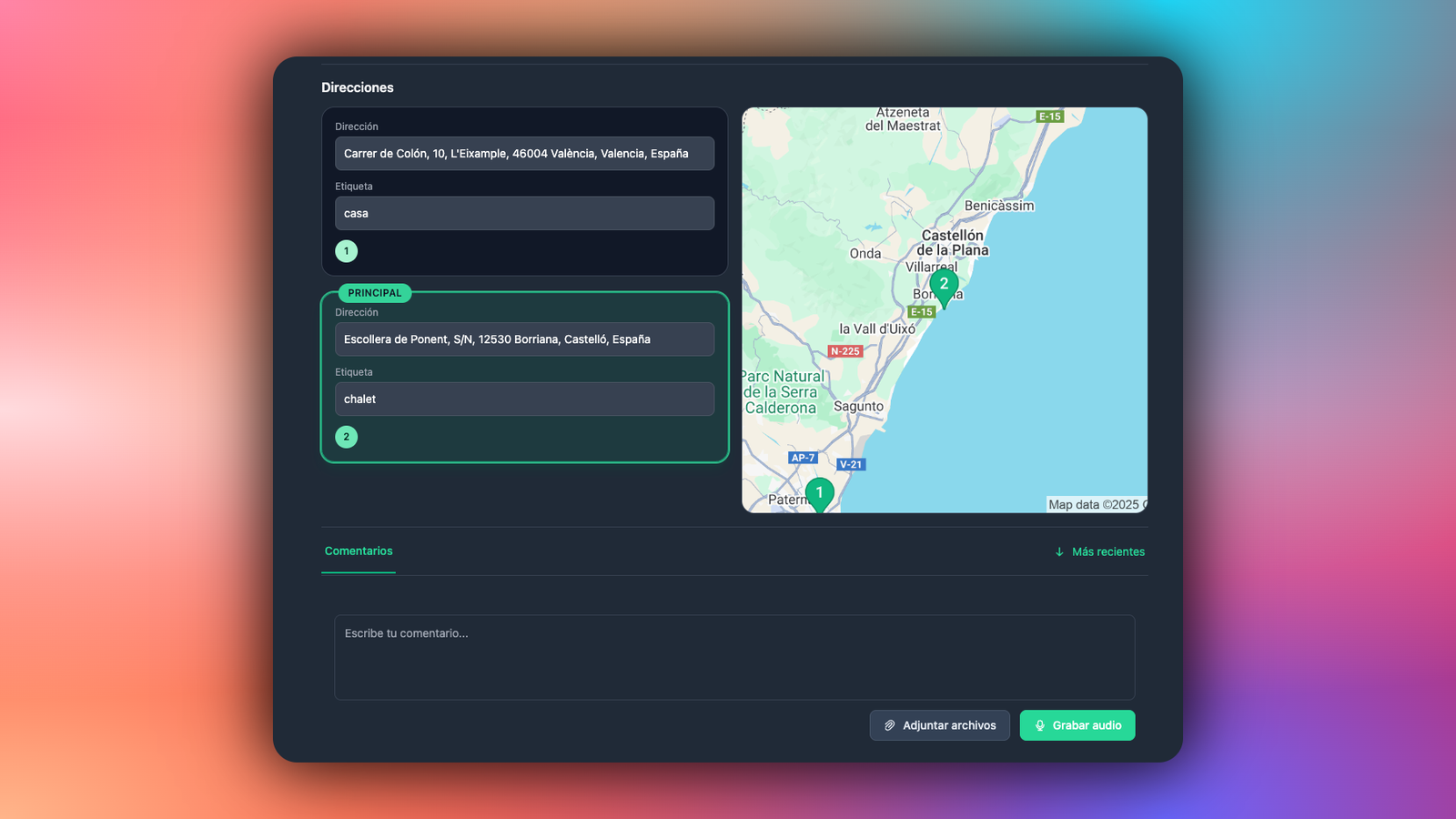
- Customer comments:
- Add photos, documents and customer-specific notes.
- The whole team can see them in one place, always accessible.
Operational value: more context in a single view and less jumping between screens to find what you need.
 New customer screen, now with comments
Shortcuts and productivity
- Consistent shortcuts in notifications and visits.
- Fewer steps to create, clock in, contact and navigate through the customer context.
What you will notice from day one
- A more direct and predictable interface, especially for visits.
- Fewer clicks to create jobs/customers and view ‘my jobs’.
- Better-structured comments that are easy to sort.
- More context on the customer screen without getting lost between screens.
Next steps
- We will continue redesigning the remaining components: job page, materials and job sheets.
- We will continue refining shortcuts based on how you actually use them.
If you have any feedback, share it through your support dashboard or contact us. Your experience in the field guides the enrutar roadmap.